
 Just Routed For Mac
Follow the run.
Skip the call.
Understand the run without calling the driver. Just Routed brings approved updates from Just Route It on iPhone into one useful view on your Mac.
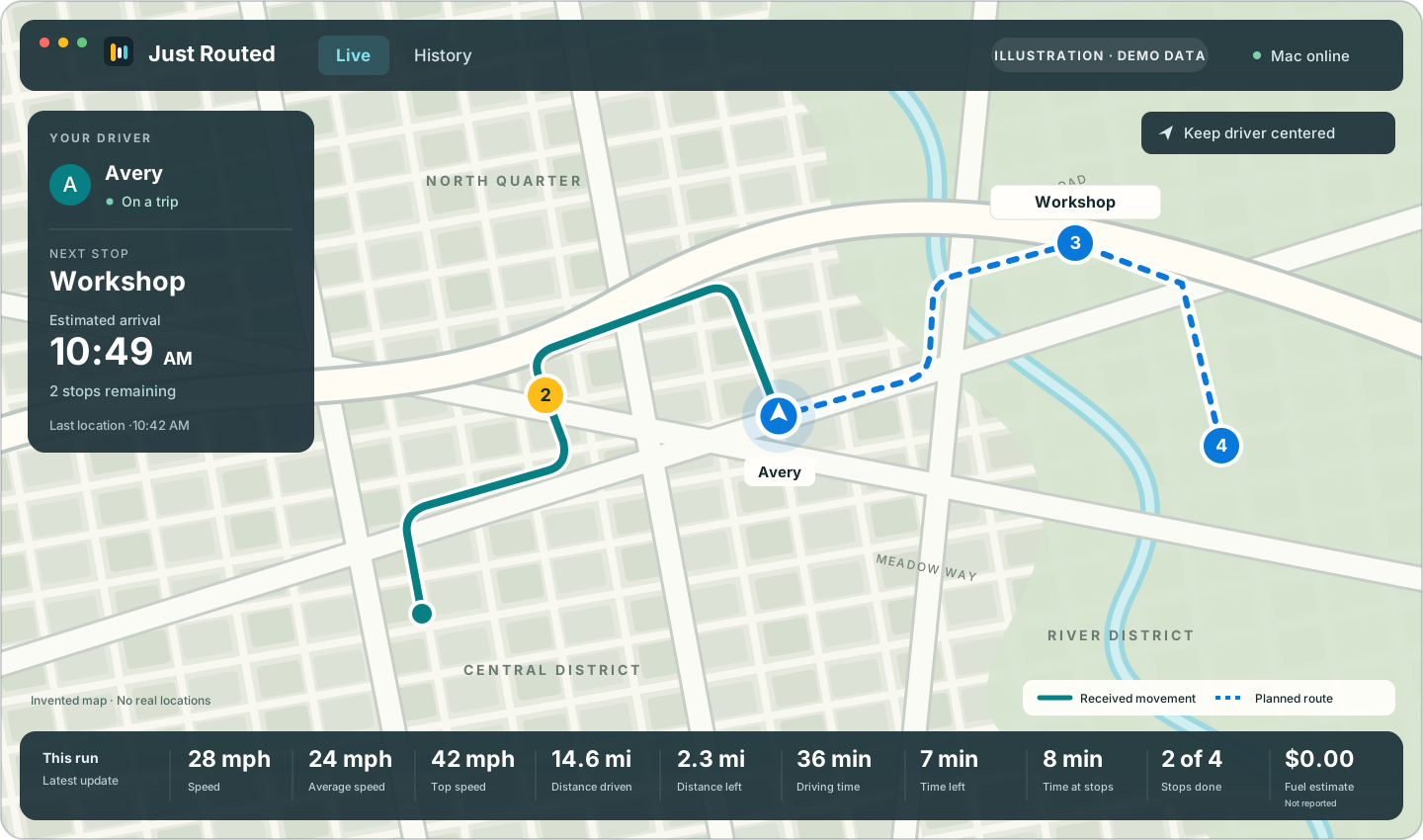
One run. Two points of view.
Their iPhone.
Your Mac.
Just Route It is for the person planning and driving. Just Routed is for the person following the approved run—whether you’re coordinating deliveries, meeting a teammate or keeping someone in the loop.
Just Route It iPhone
Plan it. Drive it.
Stops, route and navigation go with the driver.
Just Routed Mac
Follow along.
The approved information comes together on your screen.
- 01
The driver approves.
They review sharing in Just Route It on their phone and approve one viewer.
- 02
You get the picture.
Just Routed displays the location, route and run details included in that approved share.
- 03
The driver keeps control.
Private pauses new updates. Stopping sharing ends the connection’s future updates.
The details that answer the next question
Less guessing.
More context.
A map shows where. The details help you understand the run.
Where are they?
See the latest shared location, the received path and the planned route when available. The location’s timestamp tells you how current the view is.
What’s next?
Follow remaining stops and the next-stop ETA when shared by the phone. Arrival estimates are labeled as estimates, not promises.
What happened at the stop?
Review arrivals, time at a stop and departures reported by the phone or detected from received movement. A missing update alone never proves someone left.
After the run, there’s still a useful view
Look back.
Make sense of it.
Review the day’s received movement, replay the path and inspect recorded stops. Travel without a planned trip can appear when movement history is included in the approved share.
Save a daily PDF or CSV to review the route, speed summary and stop timing. Reports describe the evidence your Mac received; gaps and unavailable information stay visible.
- ArrivedReported by the phone
- Stopped forFrom received movement8 min
- LeftDetected from movement
Still at a stop in the latest update? The dashboard says so, without treating silence as a departure.
Clear signals. No assumptions.
A quiet phone
can mean different things.
Just Routed separates a sharing decision from a delayed update. Here’s how to read the difference.
PrivateA pause chosen on the phone
The driver chose Private in Just Route It. New location and trip updates pause while the connection stays in place. Resuming shares from the current location; the private interval stays excluded.
Updates pausedA pause on this Mac
The viewer paused updates on the Mac. The saved connection and received history are kept, so updates can be resumed without starting a new pairing, as long as the driver still permits sharing.
Sharing endedThe connection is no longer sharing
Future updates have ended. The dashboard names a driver’s decision only when that action is confirmed. Authorized information already received or exported can remain with the viewer; stopping sharing cannot recall it.
Updates are delayedThe last location is getting older
The dashboard has not received a fresh location. The last update’s time remains visible. A delay does not, by itself, say why the phone is quiet or mean the driver stopped sharing.
Missing observationsPart of the story is unknown
There isn’t enough received evidence for that interval. The path keeps a gap instead of inventing a connection, location or departure. Later approved updates can add context; complete recovery is not guaranteed.
Part of the Just Route It family
Plan on iPhone.
Follow on Mac.
Just Routed is in development, with dashboard features being tested using compatible Just Route It builds. A public Mac download is not offered here.
Just Route It for iPhone is on the App Store for planning and driving. Public-release features may differ from this preview.
Questions? Visit app support